
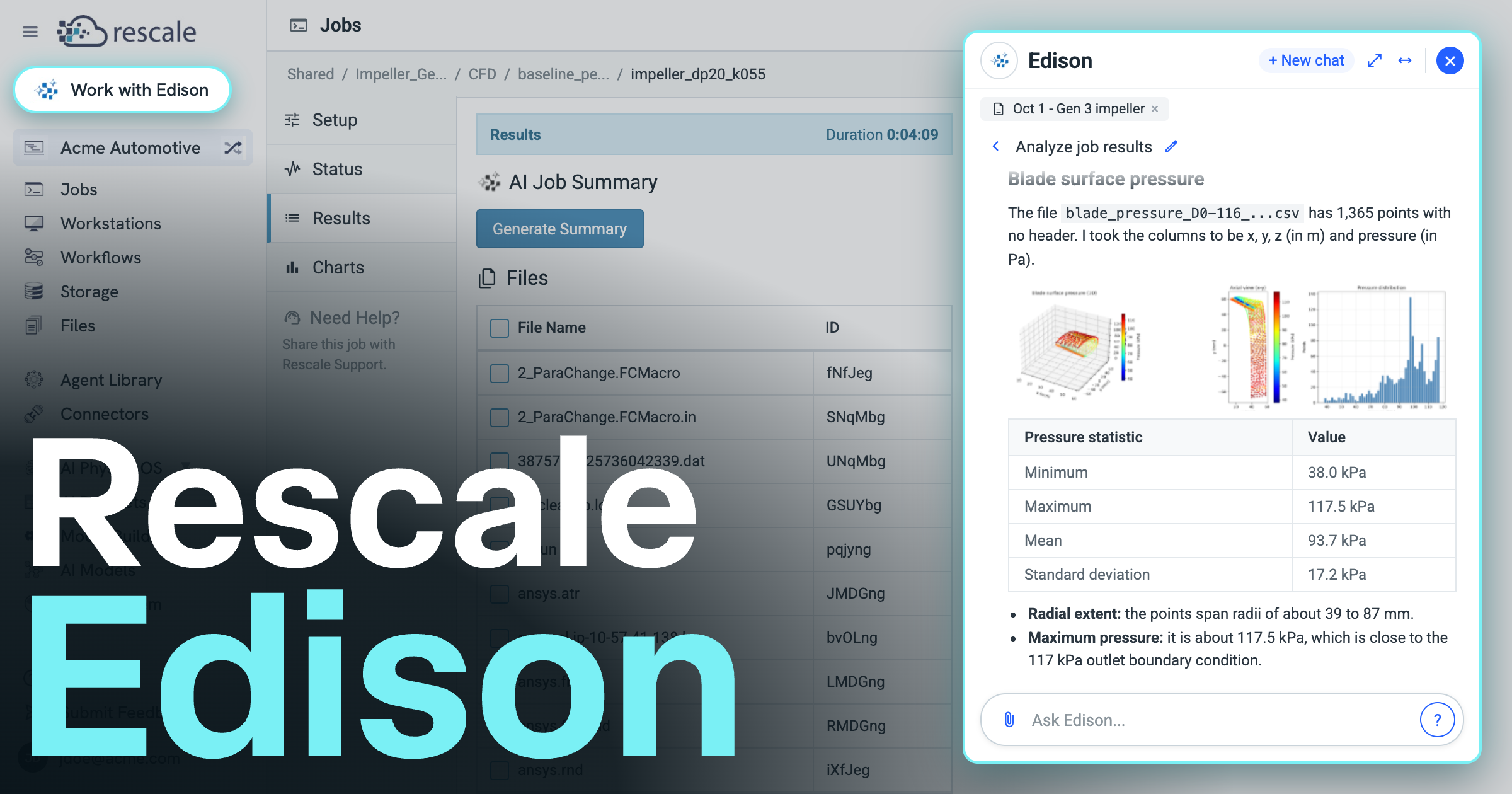
The Rescale AI assistant is now Rescale Edison, with enhancements to support engineering and admin workflows across the platform.
Introducing Rescale Edison
Rescale’s integrated AI assistant is now Rescale Edison, with enhancements that support engineering and admin workflows across the Rescale platform. Edison now remembers your conversations, answers questions from your own account data, saves repeat processes as workflows, and hands tasks to specialist agents. It is built to take routine work off your plate and to act across the Rescale platform when you ask it to.
Engineers turn to Edison throughout the day for a wide range of questions and tasks: checking on a job, searching for files, working out why a run failed, building a DOE, turning a process into a workflow, or answering a question about last month’s spend. Giving Edison a name and a consistent presence makes it something you can hand routine work off to, like a colleague who already knows your jobs, files, and workspace.
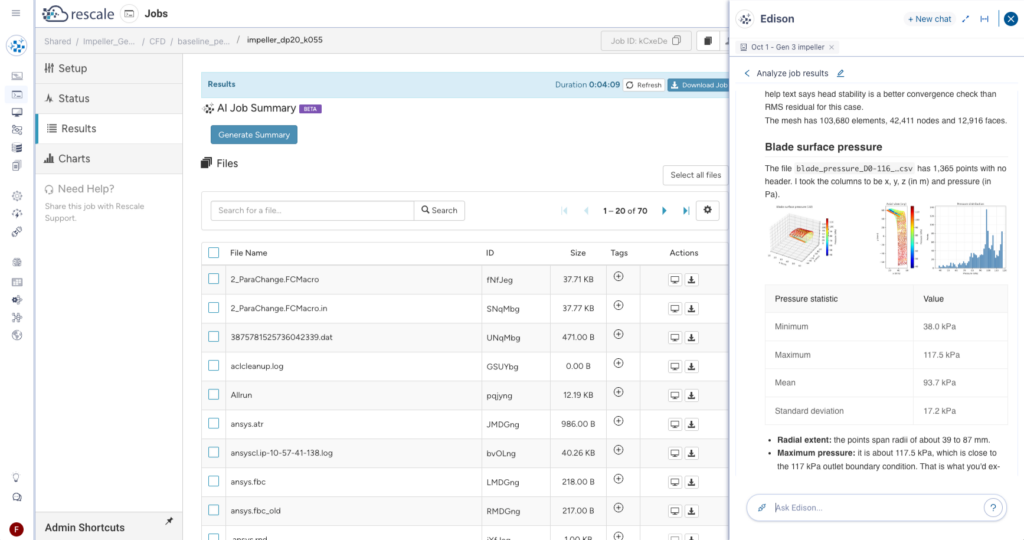
Edison is designed to give you an objective answer, not just the one you want to hear. It responds in plain language with your organization’s standards in mind, shows its steps, raises open questions, and includes citations so you can verify how it reached each answer. Your permissions and workspace settings stay the same.
How Edison Transforms Day to Day Engineering
Always in Reach
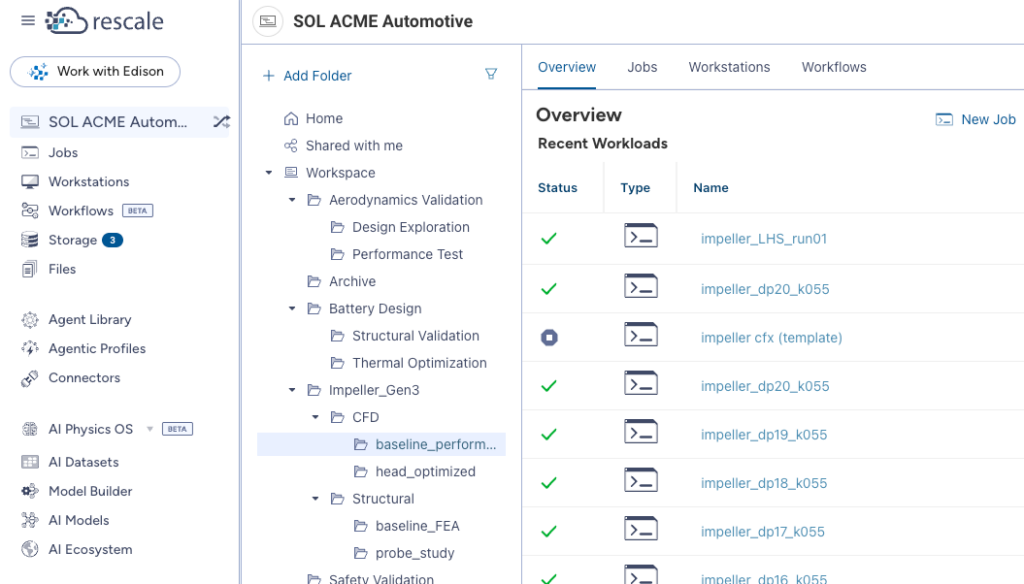
‘Work with Edison’ now sits in the left navigation on every page, so it is always in the same place no matter what you’re working on. It replaces the small sparkle icon that used to sit in the top-right corner. (In the Admin portal, the Edison sparkle icon stays in the top right.) You can open Edison as a quick overlay, beside the page, or expand it to give long answers and charts more room. Your conversation carries over between views and pages, so you can ask about a failed job, open the job to read the logs, and continue in the same chat.
Edison can also act on your behalf. When it is about to take an action that changes something, such as submitting a job, it asks you to approve first.
Remembers Chats
You can keep several chats and return to any of them later. Within a chat, Edison remembers what was said and what it looked up earlier, so you can pick up days later without re-explaining your work. Edison titles each chat from your first message, and you can rename or delete chats from the list. Click New chat to start fresh on an unrelated question. Chats are private to you, stay in the workspace where you started them, and are deleted automatically after 180 days of inactivity.
Answers from Your Own Data
Ask about jobs, files, results, or spending in plain language. Edison queries your Rescale account directly and charts the result where that helps. It reads job metadata (software, hardware, status, custom fields, and tags), simulation output and log files, billing and usage records, and connected product lifecycle management (PLM) data when you provide PLMXML files. Through connectors, Edison can also search your external repositories and knowledge bases to find the files and information you need.
Because Edison understands job and organizational context, one question can combine engineering requirements with enriched metadata: “Show me all wing designs tested at Mach 0.8 with a lift/drag ratio greater than 15.” When you want to check an answer, expand Show Work for a plain-language account of how Edison got there.
Repetitive Processes Become Workflows
As you work with Edison to run a process, it remembers your steps and can save the process as a workflow. Codifying a process this way makes it easier to run the next time you need it, and lets colleagues run the same process the same way without starting from scratch.
Workflows also give you more transparency than a chat. Each workflow follows a defined, deterministic sequence of steps, even when individual steps use AI, so you can see what ran, in what order, and with what inputs. Chats are a good place to explore a problem. Workflows are the better tool for managing a process you need to repeat reliably.
Workflows can include agent nodes. An agent node can incorporate pre-built platform agents, along with additional context you provide to customize how Edison carries out that step.
Specialized Agents for Specific Tasks
Some requests need a specialist. Edison’s specialized agents are purpose-built for CAE, designed around the workflows simulation engineers run every day. Validating an input deck before you submit it, working a failed job through to a fix, and drafting a report from a campaign each have a dedicated agent. Describe the task and Edison routes it to the right one. The answer still comes back through Edison. To choose an agent yourself, type / to list the agents available in your workspace.
Spend and Usage Answers for Admins
Edison for administrators, formerly the Admin Assistant, is the same Edison answering from the organization or workspace data an administrator can see. Billing questions get direct answers with charts, and costs can be broken down by user, project, workspace, or hardware type. Edison also joins billing records to job metadata, which supports questions like these:
- What was our total simulation charge last month?
- Show me the cost of all failed jobs in the Project Titan workspace.
- What was the total cost of failed jobs last month, and which projects were most affected?
An organization administrator can ask across every workspace. A workspace administrator gets answers within that workspace. A member gets their own usage.

Built on the Same Security Model as the Rescale Platform
Edison runs every query as the person who asked, and permissions are checked at query time. It can’t return a job, file, or billing record you couldn’t open yourself. Rescale doesn’t use your prompts, Edison’s answers, or your engineering data to train, retrain, or fine-tune any AI model, and doesn’t let any third party do so. Your organization’s data stays logically separate from other customers’ data, with encryption in transit and at rest. Every request passes through logged and monitored safety guardrails.
Edison can make mistakes, so check the results. Show Work and the approval step before any action are there to help you do that.
Get Started
- Click Work with Edison in the left navigation.
- Type your question or task request and press Enter.
- Continue your work on any other page. Edison stays open beside it.
Edison requires Advanced Modeling and Simulation or Agentic Engineering products to be enabled on your workspace. If ‘Work with Edison’ shows as unavailable, contact your workspace administrator or your Rescale account team. If you are unsure what to ask first, click the ? icon in the panel and Edison will list the questions and tasks it supports.
To see Edison on your own jobs, request a demo or start a free trial. For full details, read the Rescale Edison documentation and the release notes.